24/7 breakdown support across the Riverina0427 997 730[email protected]

Home / Legacy PLC migration / MicroLogix replacement

GUIDE · MicroLogix

MicroLogix replacement: options for the 1000, 1100, 1200, 1400 and 1500

Where each MicroLogix model stands, when Micro800 is the right move and when CompactLogix is, and how to change a machine over in a short stop.

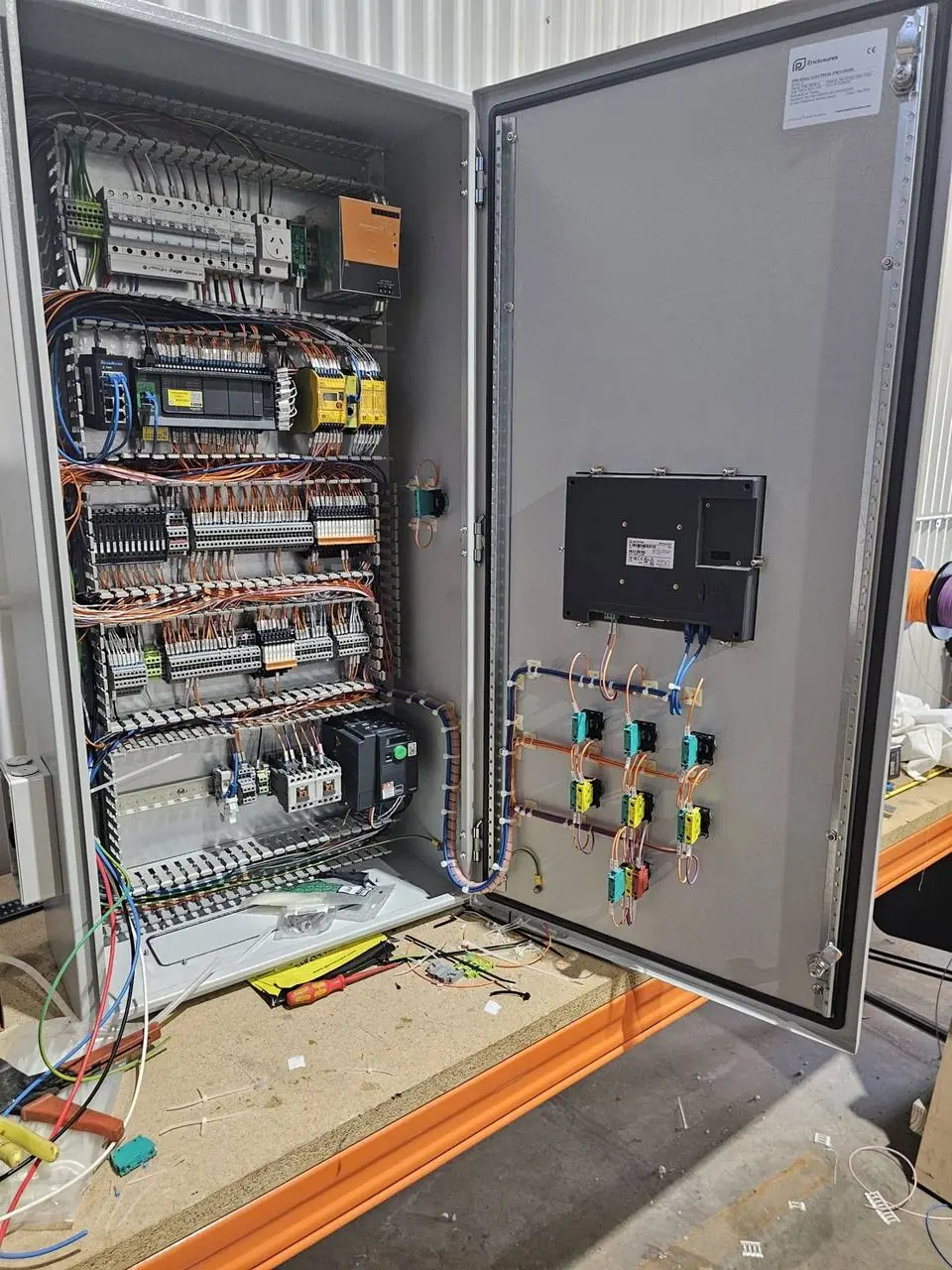
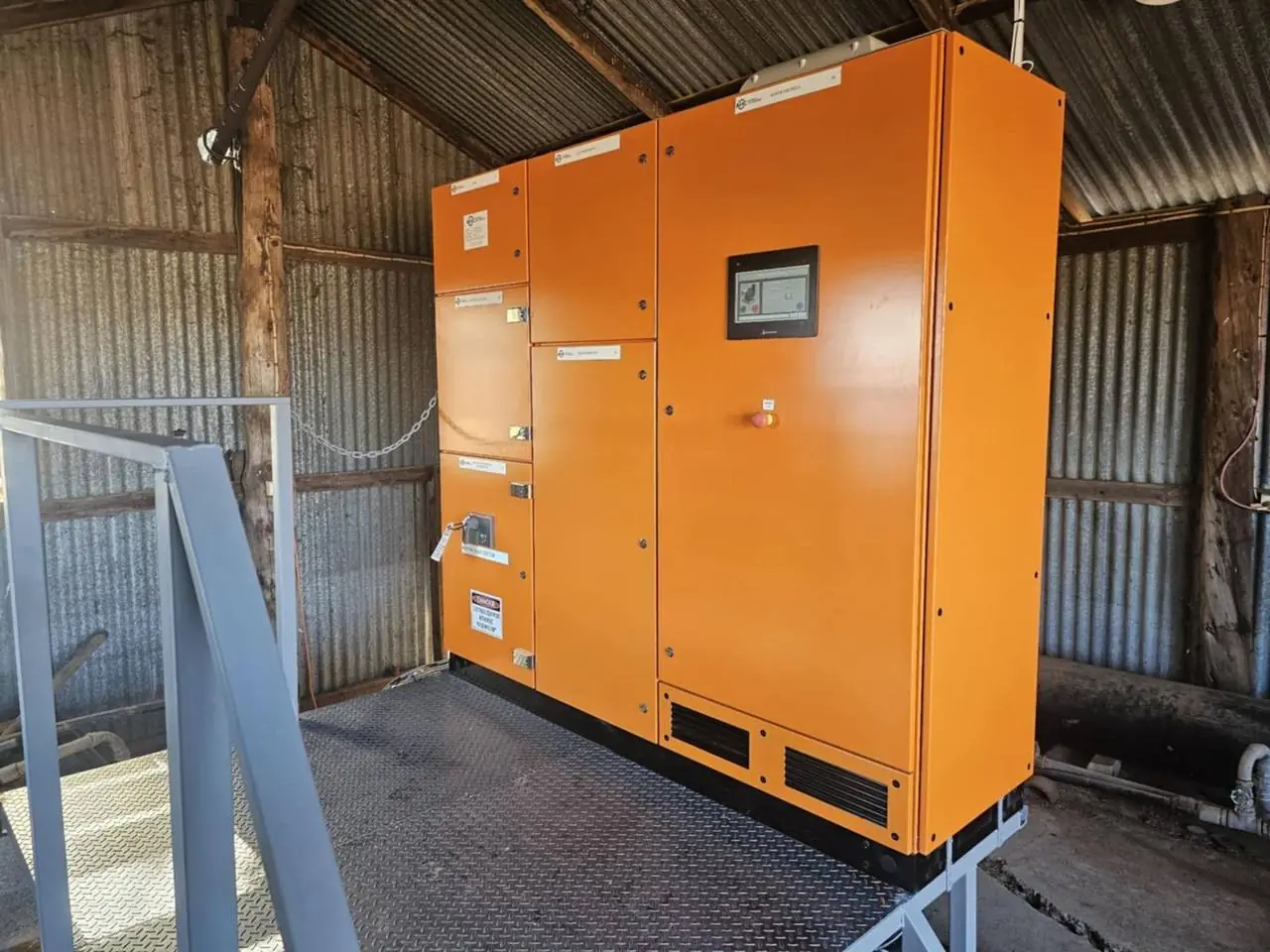
PLC control board with operator touchscreen built by AMCAutomated river pump control board built by AMC

GUIDE · MicroLogix · What we do

A small controller that stops the whole machine when it fails.

MicroLogix controllers run a lot of machines, pump boards, conveyors and packaged skids. They are small and they just work, so they are easy to forget until one fails and takes the machine with it. Rockwell Automation lists some MicroLogix models, including the 1100 and 1500, as discontinued and encourages users to migrate.

Replacing a MicroLogix is usually a smaller job than an SLC 500 or PLC-5 migration, but it has a catch. Micro800 controllers use different programming software (Connected Components Workbench) and different expansion I/O, so it is not a plug-in swap. The other route is a small CompactLogix programmed in Studio 5000. It costs more in hardware, but it suits sites that already run Logix controllers.

AMC works with MicroLogix in RSLogix 500, with Micro800 in Connected Components Workbench, and with CompactLogix and GuardLogix in Studio 5000. We can back up and support the controller you have, and replace it before it becomes an emergency.

What we do

  • MicroLogix program backups and fault finding
  • Replacement controller selection
  • Program conversion or rewrite, fully tested
  • New I/O wired to your existing field devices
  • Screen replacement or tag re-addressing
  • Serial and DH-485 links moved to Ethernet
  • Panel modifications or a new pre-built panel
  • Changeover in a planned short stop

Standards, platforms & tools

RSLogix 500MicroLogix 1100MicroLogix 1400MicroLogix 1500Micro800Connected Components WorkbenchCompactLogixStudio 5000EtherNet/IP

Choosing a replacement

Micro800 or CompactLogix?

Both are valid. The choice is about the site as much as the machine.

01

Micro800: Rockwell's named path

Rockwell encourages MicroLogix users to move to its Micro800 controllers and publishes a MicroLogix to Micro800 migration guide. It is the lower-cost hardware route for a stand-alone machine.

02

What changes with Micro800

Programming moves from RSLogix 500 to Connected Components Workbench. Rockwell provides a converter for MicroLogix programs, but the result needs review and testing. Expansion I/O is a different family.

03

CompactLogix: the Logix path

A small CompactLogix uses the same Studio 5000 software and tag-based programming as larger Logix systems. It suits sites that want one platform, one software package and one set of spares.

04

When CompactLogix is worth it

More I/O or logic than the machine started with, several drives on EtherNet/IP, integrated safety with Compact GuardLogix, or close links to a plant-wide Logix system.

05

MicroLogix 1500 and 1769 I/O

The 1500 uses 1769 Compact I/O. Rockwell's page for the 1500 points to CompactLogix 5370 controllers, some of which take the same 1769 modules. Check the lifecycle status of the 5370 itself before choosing it.

06

Holding on for now

For a low-risk machine, a tested spare controller and a verified backup can be a reasonable holding plan. Set a date to review it.

Changing over

Most of the work happens before the machine stops.

A MicroLogix usually runs one machine, so the changeover can often be done in one planned stop, provided the preparation is done first.

We upload and verify the existing program, check the I/O against the machine, and convert or rewrite the logic. The new controller and I/O are mounted on a plate or in a new panel and tested in our workshop with the program loaded. On site, the field wires move to the new terminals, each input and output is checked, and the machine is run through its sequences with your operator before we hand it back.

The old controller is kept, with its wiring records, until the new one has run production.

  • Upload and verify the running program
  • Check I/O, screen and comms on the machine
  • Choose the replacement platform
  • Convert or rewrite, then test in the workshop
  • Pre-built mounting plate or panel
  • Changeover, I/O check and sequence test
  • Updated drawings and backups

Proof

See it on the job.

Related work includes legacy control system upgrades, an automated river pump control board and a citrus packing conveyor control system.

Where we work

Griffith-based. Riverina and Australia-wide.

We replace MicroLogix controllers on machines, pump sites and packing lines across the Riverina and Australia-wide.

GriffithLeetonYendaHanwoodYoogaliNarranderaDarlington PointColeamballyHayHillstonWagga WaggaMildura

Lifecycle status

Where each MicroLogix model stands

Status last checked on Rockwell Automation's website on 15 November 2026. It changes over time and differs by catalogue number, so look up your exact part on Rockwell's Product Lifecycle Status page before you decide anything.

ModelBulletinStatus on Rockwell's siteWhere Rockwell points you
MicroLogix 10001761Older model. Look up your catalogue number.MicroLogix to Micro800 migration guide
MicroLogix 11001763Discontinued and no longer available for sale.Micro800
MicroLogix 12001762Older model. Look up your catalogue number.MicroLogix to Micro800 migration guide
MicroLogix 14001766Not shown as discontinued on its product page when we checked.MicroLogix to Micro800 migration guide
MicroLogix 15001764Discontinued and no longer available for sale.MicroLogix 1400 or CompactLogix 5370

I/O: what stays and what changes

  • Field devices and field wiring stay. The wires are re-terminated on the new controller.
  • Built-in I/O has to match by type, not just by count: 24 V DC or mains-voltage inputs, relay or transistor outputs, analogue and high-speed points.
  • 1762 expansion modules (used on the 1100, 1200 and 1400) are not used by Micro800 or CompactLogix 5380. Allow for new modules.
  • High-speed counters, pulse outputs and analogue scaling are set up differently on the new controller and need testing on the machine.

HMI changes

  • Small screens on serial DF1 or DH-485 are the usual sticking point. Confirm the screen can talk to the new controller before you choose it.
  • Every screen tag has to be re-addressed from MicroLogix data files to the new controller's tags.
  • If the screen is a legacy PanelView, plan to replace it in the same stop. See PanelView HMI replacement.

Network changes

  • MicroLogix links are often serial: DF1, DH-485, Modbus RTU or ASCII to a weigher, printer, radio or SCADA system.
  • List each link and confirm the new controller supports that protocol, or plan a gateway.
  • Telemetry or SCADA that polls the MicroLogix needs its driver and addresses updated at the same time.
  • Moving to Ethernet makes remote support and data collection much easier, provided the network is set up securely.

Risks

What catches people out.

  • No backup. A failed MicroLogix with no program file means working the machine out from scratch.
  • A password-protected or OEM-locked program that can't be uploaded
  • Discontinued models with no new spare to buy
  • Programming cables and software that only work on one old laptop
  • Second-hand replacements with unknown firmware and history
  • OEM machines with no drawings or documentation

For a quote

What to send us.

  • The catalogue number from the controller label, for example 1763-L16BWA or 1766-L32BWA
  • Photos of the controller, any expansion modules and the whole panel
  • The RSLogix 500 project file (.RSS), if you have one
  • The HMI model and its application file, if there is a screen
  • What the controller talks to: drives, SCADA, radios, other PLCs
  • What the machine does and when it can be stopped

Send it through our contact page or call 0427 997 730. If you don't have half of this, send what you have.

FAQs

Common questions

Is the MicroLogix 1400 discontinued?

When we last checked Rockwell Automation's website (15 November 2026), the MicroLogix 1400 product page did not show it as discontinued. It is an older design, though, and Rockwell publishes a guide for migrating MicroLogix controllers to Micro800. Status changes and differs by catalogue number, so check Rockwell's Product Lifecycle Status page for your part.

Which MicroLogix models are discontinued?

Rockwell's product pages list the MicroLogix 1100 (Bulletin 1763) and MicroLogix 1500 (Bulletin 1764) as discontinued and no longer available for sale. For the MicroLogix 1000 and 1200, look up your catalogue number on Rockwell's Product Lifecycle Status page.

What replaces a MicroLogix 1100 or 1400?

Rockwell encourages MicroLogix users to migrate to its Micro800 controllers. The alternative is a small CompactLogix, which suits sites already using Studio 5000. The right choice depends on the I/O, the screen and what else is on site.

Can my RSLogix 500 program be reused?

Not directly. Micro800 controllers use Connected Components Workbench and CompactLogix uses Studio 5000. Conversion tools exist for both routes and give a starting point, but the converted program has to be reviewed and tested on the machine.

Can I keep the existing I/O wiring?

The field wiring and devices stay. The controller and its expansion modules change, so the wires are re-terminated on the new I/O. We pre-build and label the new hardware so that step is quick.

We have no copy of the program. Can you still help?

Usually. If the controller still runs and is not locked, the program can be uploaded and saved. An upload has no comments or symbol names, so we document it as we go. If the controller is locked or dead, the logic has to be rewritten from how the machine works.

How long is the machine down?

For a single machine the changeover is normally planned as one stop. How long depends on the I/O count and the screen. We tell you the planned duration before you book it.

Next step

Got a plant, machine or board that needs sorting?

Send us the scope, drawings or a few photos. An engineer reads every request and comes back within one business day with next steps and a clear, upfront price.

Project engineer or OEM? Send a P&ID, equipment list or scope for a budget price.

Call nowEmailGet a quote